5′
Quickstart
Get your first expert running in 5 minutes
Using Threadlight as the example — the same steps apply to any expert.
For detailed explanations of each step, see Hiring Your First Expert.
Open the Marketplace
Go to braintrust.ti.trilogy.com/experts and find Threadlight.The marketplace shows Verified experts by default. If you don’t see it, click All Experts at the top to view the full catalog.
Click Hire Expert
On the Threadlight page, click Hire Expert. A DM is automatically created for you in Google Chat.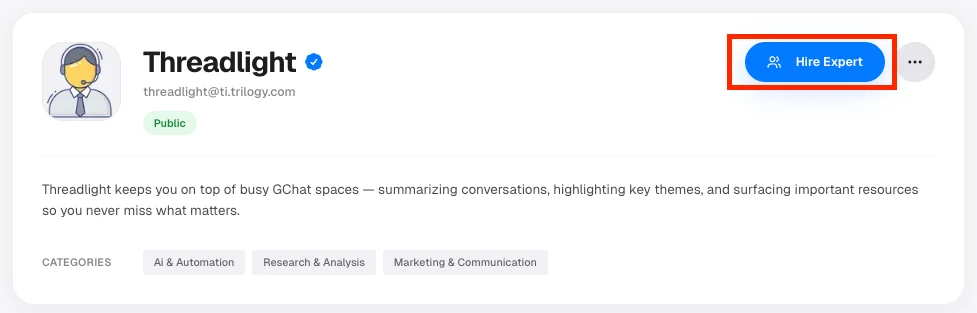
Success: The button changes to Open in Chat.
Configure (if needed)
If a Configure button appears with a warning badge, click it and connect each required service — OAuth, API key, or token. Skip this step if there is no warning.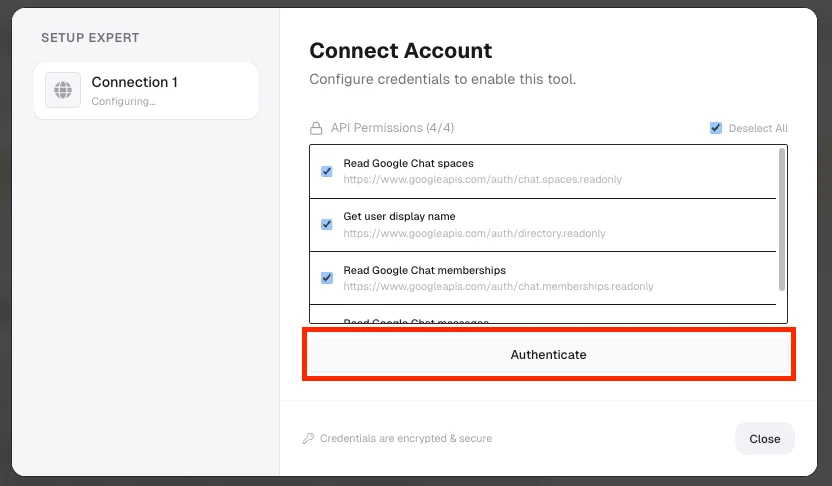
Success: All items in the wizard show checkmarks.
Open in Chat and send a message
Click Open in Chat. In the DM, type your first message:
“What can you help me with?”The expert responds in real time.
Success: You see the expert’s greeting and it replies to your message.
Add to a Group Space
Bring your expert into a group Space so your whole team can use it.
Set Up Automations
Have the expert run tasks on a schedule — no prompting needed.
Connect More Tools
Authorize integrations so your expert can work across your stack.
Invoke via API
Call experts programmatically from your own apps.