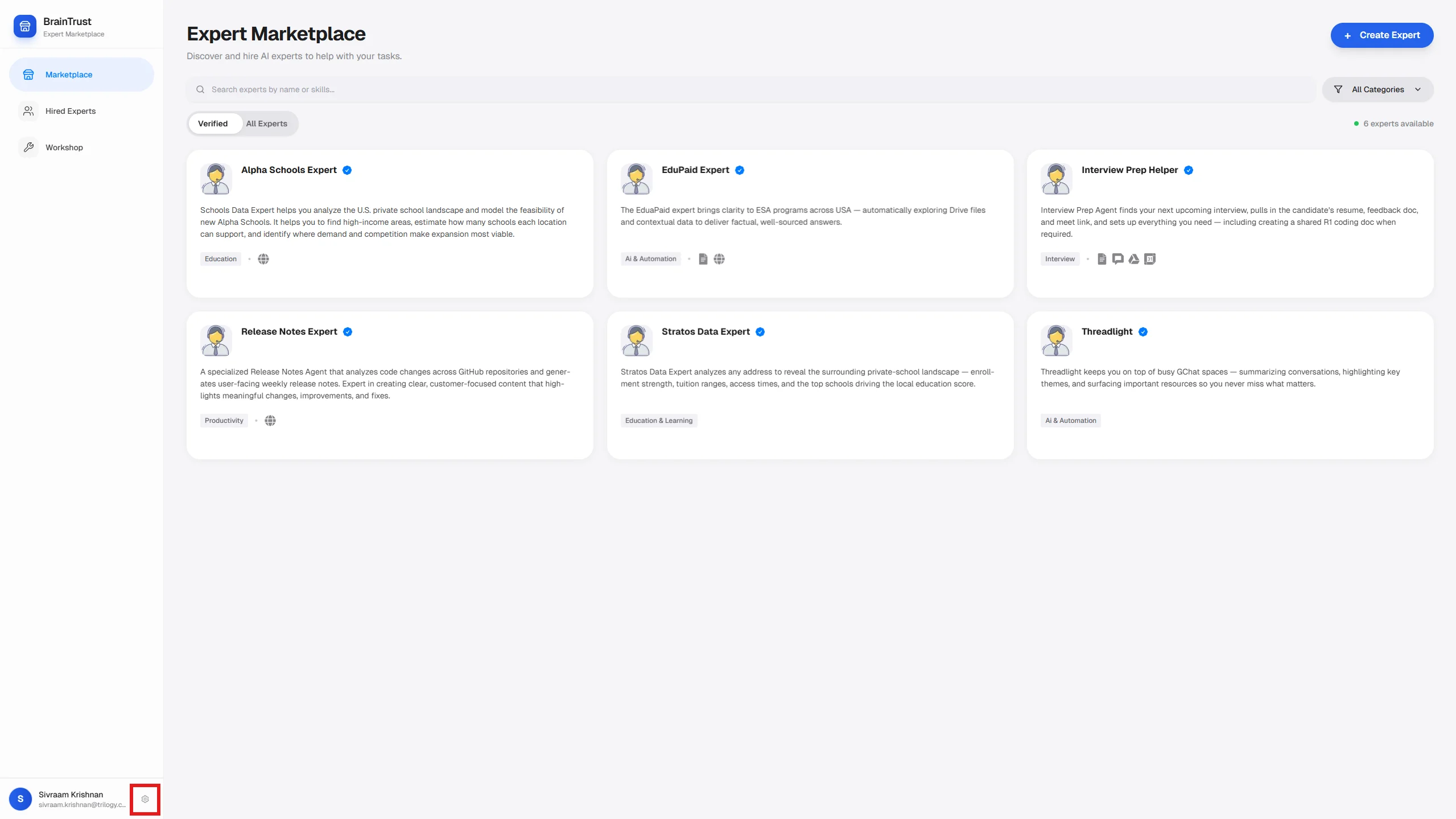
Create and manage API keys to invoke Braintrust experts programmatically.
API keys let you invoke Braintrust experts programmatically — from scripts, CI/CD pipelines, custom applications, or any HTTP client. Each key is tied to your account and carries your access permissions.
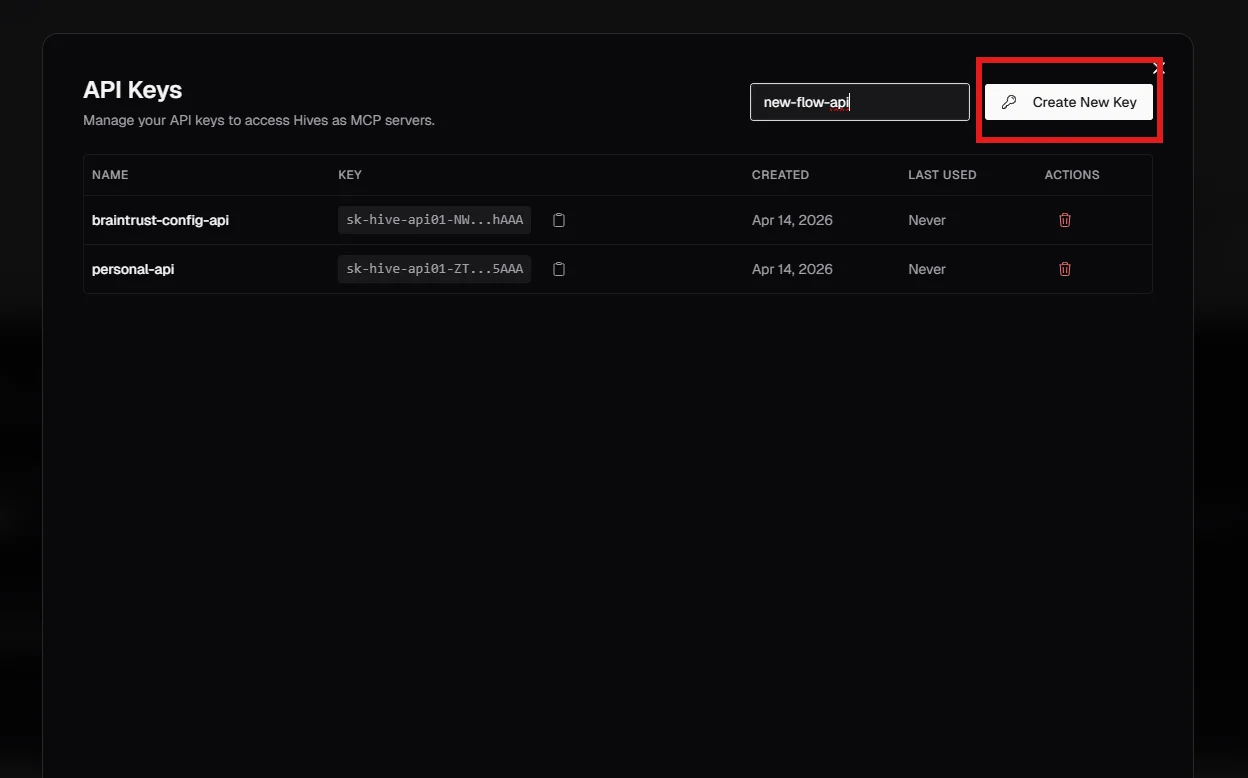
Type a descriptive name in the field (for example: ci-pipeline, slack-bot, local-dev). Names help you identify which key belongs to which integration.
2
Click Create New Key
Click the Create New Key button. The key is created immediately.
API Keys modal — enter a name and click Create New Key
3
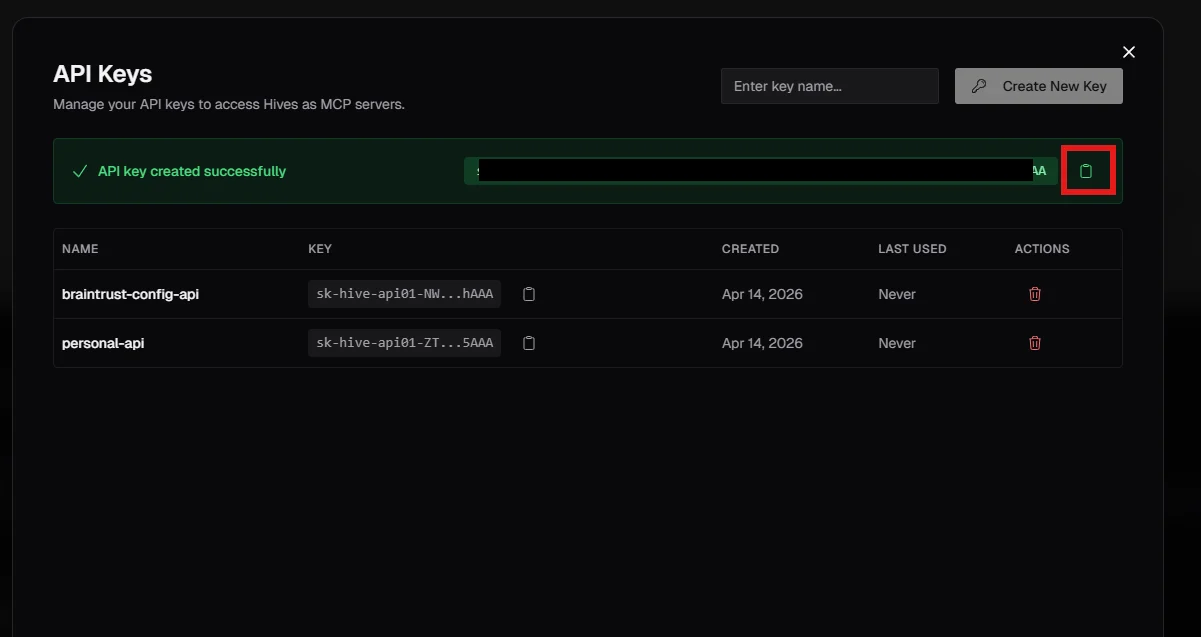
Copy the key now
The full key is shown once — immediately after creation. Copy it and store it securely (for example, in a password manager or as an environment variable).
The full key is visible only at creation time — copy it immediately
After you leave this view, the key is truncated for security. There is no way to retrieve the full value again. If you lose it, delete the key and create a new one.
Done. You now have an API key. Use it as the x-api-key header on every API request.
curl -s -N -X POST "https://braintrust.ti.trilogy.com/api/agents/invoke" \
  -H "x-api-key: YOUR_API_KEY" \
  -H "Content-Type: application/json" \
  -d '{"agent":"AGENT_ID","message":"What can you help me with?"}'